QuickBooks export in, savings report out
Upload your expense data. Get a PDF with sourced benchmarks and adjustable assumptions, ready to present.
Free previewFull report $49No subscription
Upload, review, download
Drag a .xlsx or .csv from QuickBooks, or paste rows directly. We auto-detect columns and recognize 150+ SaaS vendors.
From there, we map your vendors to 15 replacement scenarios and model the savings. Every assumption is adjustable: automation rate, setup cost, hourly rate, and time to go live. Pull the sliders until the numbers feel honest to you.
How the math stays honest
The output is a PDF with payback timelines and 1/2/3-year projections. We measure payback from contract signing, including each scenario’s implementation window, so the number you show your CFO matches the math they’ll run themselves.
When one tool could be replaced by more than one scenario, we count its spend once and credit it to the scenario that saves the most. The other options still appear in your report, but we never add them to the total, so no saving is claimed twice.
Your spend data never leaves your browser. Every calculation runs locally, and your data stays on your device. Clear it anytime with Start over.
What the report looks like
The actual file we generate. Yours reflects your actual vendors and spend.
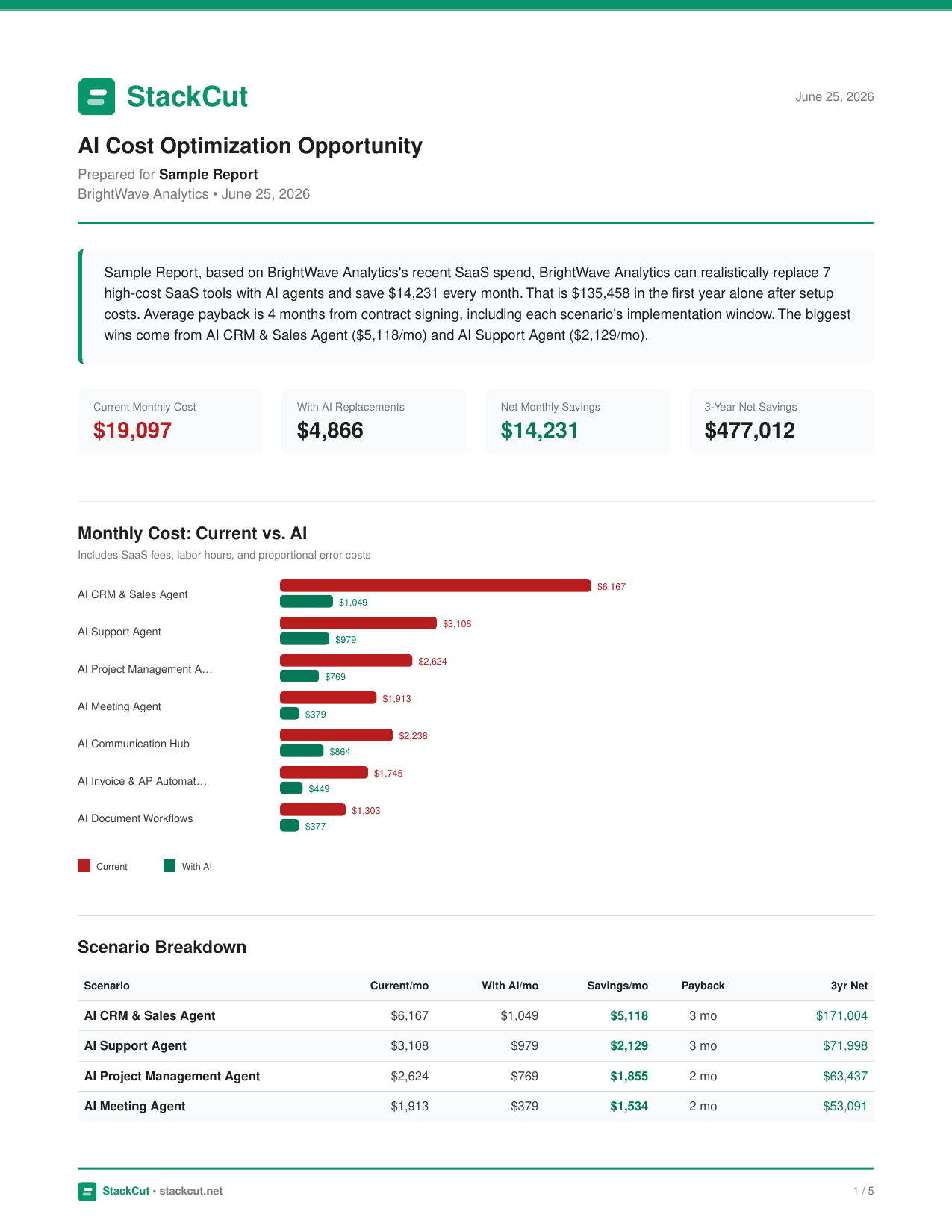 TapClick to open full PDF
Built to survive a CFO conversation
The assumptions behind every report. Sources labeled independent or vendor-funded so your CFO can weigh them accordingly.
Loaded labor rate
$50/hr
BLS ECEC June 2025 ($45.65), rounded up
Independent
Support automation cap
60%
Intercom AI Report 2024
Vendor-funded
Invoice automation cap
70%
Ardent Partners 2025
Independent
CRM time savings
3 hrs/wk
HubSpot State of Sales 2025
Vendor-funded
Data entry reduction
up to 80%
Zapier product guidance
Vendor-funded
CRM setup cost
$3,000
HubSpot 2026 + RTDynamic 2026
Mixed
Support desk setup cost
$2,500
Hiver Migration Guide 2026
Independent
Comms hub setup + go-live
$1,500 / 2 mo
Forrester TEI 2024
Vendor-funded
Email warmup window
4–6 weeks
Mailgun 2025
Independent
Error cost defaults to $0 — it's speculative and optional. Negative savings are shown honestly when AI costs more than your current tool. Every default above is adjustable in the wizard.
Questions we hear from finance teams
What if I don't use QuickBooks?
You can paste any tab-separated or comma-separated expense data. If your accounting software exports to Excel or CSV, it'll work. We auto-detect column mappings.
Do you store my data?
Not on our servers. Everything runs in your browser using JavaScript, so your expense data is never transmitted to us, stored in our database, or shared with anyone. It's saved only in your own browser so your report survives a refresh. Clear it anytime with Start over, or by clearing your browser data.
Where do your benchmarks come from?
Published research from BLS, Gartner, Intercom, Ardent Partners, HubSpot, Zapier, Forrester, and Mailgun. Setup costs and time-to-go-live come from independent SMB sources: HubSpot's published onboarding fees, Hiver's help desk migration data, Forrester's TEI study of Microsoft 365 Copilot for SMB, and Mailgun's email warmup standards. You can override any number we use.
Why is your payback period longer?
Because we measure from the day you sign the contract, not the day the tool actually works. The fees start running immediately. Savings don't start until the tool is deployed, which usually takes weeks. Vendor pitch decks skip that gap. Your finance team won't, so neither do we.
Can the savings estimate be wrong?
Yes, and we're transparent about that. Error cost is inherently speculative — it's clearly labeled and can be set to $0 for a conservative estimate. Savings can also be negative, and we show that honestly.
Do you sell AI tools?
No. StackCut is a calculator, not a marketplace. We show you the math and you choose your own vendor.
Find out what you could save
Runs in your browser. No account required.
Free preview · $49 one-time · 7-day refund